Small SEO Studio brings together practical SEO tools to help website owners, bloggers and digital marketers research keywords, examine search results, investigate backlinks and review technical website issues. Use the available tools to understand your website's search visibility and identify areas that may need improvement.
From keyword research and competitor analysis to sitemap validation and backlink checks, the toolkit supports common SEO workflows in one place. Results depend on the data available to each tool and should be reviewed in context before making important website decisions.

Search Engine Results and Indexing Analysis
Understanding search results and how search engines discover your website is an important part of SEO. These tools help you investigate keyword visibility, search queries, indexed pages and website crawling instructions.
-
Google SERP Analysis: Examine Google search results for selected keywords and investigate competing pages, organic listings and available SERP features using the Google SERP Tool. For more information about conversational search and content planning, read our Voice Search Optimization Guide.
-
Bing SERP Analysis: Explore search results from Microsoft's Bing search engine using the Bing SERP Tool.
-
Search Query Research: Explore available search query information with the Top Search Queries Tool to identify relevant topics and keyword opportunities.
-
Indexed Pages Analysis: Review indexed page information using the Indexed Pages Tool and investigate possible gaps in search visibility.
-
Robots.txt Analysis: Inspect crawling directives and identify rules that may restrict search engine access with the Robots.txt Tool.
-
XML Sitemap Validation: Review sitemap structure and accessibility using the Sitemap Checker. You can also use the Sitemap Submitter for supported sitemap submission tasks.
These checks work well together when investigating indexing problems. Review your robots.txt rules, validate your sitemap and compare available indexed page information. Remember that submitting a sitemap does not guarantee that Google will crawl or index every URL.
Backlink Analysis and Link Profile Review
Backlinks are links from other websites to your pages. Reviewing referring domains and link sources can help you understand your website's link profile, discover new links and investigate potentially questionable references.
| SEO Tool | What You Can Review | Explore |
|---|---|---|
| High-Quality Backlinks | Investigate backlink sources and their relevance. | Open Tool |
| New Backlinks | Review newly discovered backlink information. | Open Tool |
| Poor Backlinks | Investigate potentially suspicious or low-quality links. | Open Tool |
| Top Referrers | Explore websites referring traffic or links to a domain, where data is available. | Open Tool |
Backlink analysis should consider relevance, context and source quality rather than relying only on link counts or domain extensions. A link from an educational or government website is not automatically valuable simply because of its domain type.
For more practical advice on improving an online store's search visibility, explore our E-Commerce SEO Guide.
Technical SEO Audit Tools
Technical SEO helps search engines access, crawl and understand your website. It also helps identify problems that can affect how visitors experience your pages.
Crawlability Analysis
Use the Crawlability Test to investigate whether important website resources and pages can be accessed by search engine crawlers. Compare your findings with Google's official Crawling and Indexing Documentation.
Mobile Website Compatibility
Review mobile compatibility using the Mobile Support Test. A good mobile experience should include readable text, usable navigation, accessible content and layouts that work across screen sizes. You can also read our Mobile Optimization Guide.
Google uses the mobile version of website content for indexing and ranking. Read its Mobile-First Indexing Best Practices for additional guidance.
HTTP Response Header Analysis
Inspect server response headers using the HTTP Headers Test. This can help you investigate response information, redirects, caching headers and other technical details.
Website Speed Diagnostics
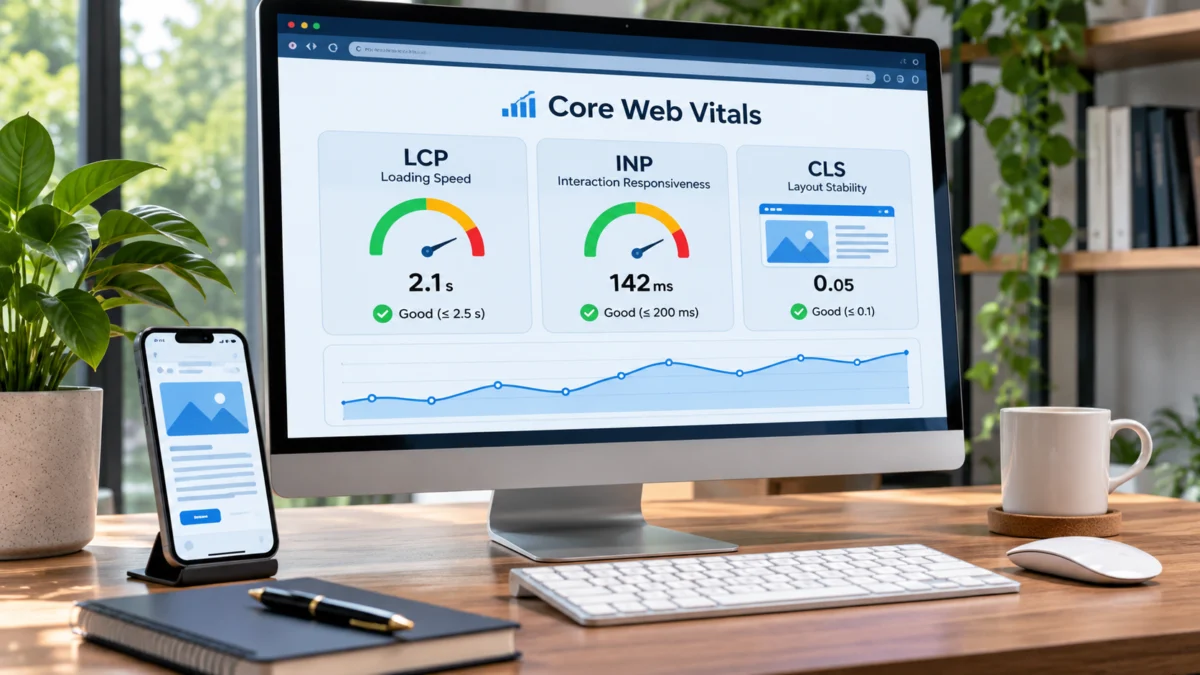
Investigate website loading performance using the Page Speed Test. Review the available results and identify opportunities to improve page loading and user experience. For additional ideas, explore our Website Speed Optimization Guide.
Keyword Research and Content Optimization
Useful content starts with understanding what your audience searches for. Keyword research and competitor analysis can help you discover relevant topics, examine search intent and plan content around the needs of your readers.
Keyword Discovery and Research
Use the Keyword Research Tool to explore relevant search phrases and available keyword information. Prioritize topics that match your website's purpose, audience and ability to provide useful information. Learn more in our Keyword Research Guide.
Competitor and Content Gap Analysis
Explore competing websites using the Competition Checker. Compare relevant topics and identify areas where your website may need more useful or comprehensive content. Our guide to Long-Form Content Strategies provides additional content planning ideas.
Website Authority and Page-Level Metrics
Authority metrics can provide additional context when comparing websites or individual pages. Small SEO Studio offers tools to investigate the available authority measurements for a domain or URL.
-
Domain Authority: Review an estimated domain-level authority metric using the Domain Authority Checker.
-
Page Authority: Examine an estimated page-level authority metric using the Page Authority Checker.
These metrics are third-party estimates and are not official Google ranking scores. Use them as comparison indicators rather than as a substitute for examining content relevance, search visibility, technical quality and backlink context.
Useful External SEO Resources
Use trusted documentation alongside SEO tool results when planning website changes or investigating technical issues.
-
Google Search Central: Read the official Crawling and Indexing Documentation for guidance on robots.txt, sitemaps, crawling and indexing.
-
Google Mobile-First Indexing: Review Google's Mobile Website Best Practices.
-
Google Disavow Links Guidance: Read the official Disavow Links Documentation before considering a disavow file. This is an advanced feature and should be used cautiously, not as a routine response to every low-quality backlink.
Google generally recommends using the disavow tool only in specific situations involving a considerable number of artificial or spammy backlinks and a manual action, or a likely manual action. Review the official guidance before taking this step.
Build a More Informed SEO Workflow
SEO improvements are easier to plan when you combine research with careful analysis. Start by understanding your keywords and search competitors, review your website's indexing and technical accessibility, investigate backlink information and improve pages where useful changes are needed.
Explore the Small SEO Studio Tools Directory to find the right tools for your next task, and visit the Small SEO Studio Blog for more practical SEO tutorials and guides.